Audio connectors and adapters may seem simple, but choosing the wrong one can disrupt your entire system, whether it's a hospital's MRI suite or a studio setup. With the growing number of connector types and changing standards in 2026, it's easy to make costly mistakes that lead to poor signal quality, equipment damage, or wasted time troubleshooting.
This blog will focus on the most common types of audio connectors and adapters in use today. We’ll cover everything from the technical specifications you need to know to the practical steps for choosing the right ones for different applications. Let’s get started.
Quick Recap
Understand Signal Types: Know the difference between balanced and unbalanced signals to optimize performance and minimize noise.
Choose Direct Connectors: Use direct connectors whenever possible to avoid signal degradation and interference.
Familiarize yourself with Common Connectors: Identify the right connectors (TRS, XLR, RCA, USB) for your devices to ensure compatibility and quality.
Use Adapters Cautiously: Use them only when necessary and ensure they meet the required technical specifications.
Maintain Connections: Follow best practices like keeping connectors clean and investing in high-quality cables for reliable, long-lasting performance.
Understanding Audio Signals & Connector Basics
Before you look at individual connector types and adapters, you need to grasp two foundational concepts: when to use an adapter versus a direct connector, and the difference between balanced and unbalanced connections.
Connector vs. Adapter: What’s the Difference
A connector is the endpoint interface on a cable or device. It ensures a direct electrical link between two pieces of gear. An adapter converts one type of connector to another so incompatible ports can still communicate.
Whenever possible, opt for a direct connector. Direct connections minimize signal distortion and loss. Adapters are useful when:
You must link devices with different interface types (e.g., 3.5 mm to RCA).
You have legacy systems that can’t be updated.
Poorly chosen adapters can introduce noise or impedance mismatches, affecting audio clarity.
Balanced vs. Unbalanced Cables
Knowing whether a cable or device supports balanced audio can determine system reliability, especially in professional or long‑cable applications.
Balanced connections:
Include three conductors: two signal wires and a ground.
Use equal impedance on both signal lines so noise picked up along the cable is rejected at the receiving end.
Are essential for long cable runs or electrically noisy environments because they reduce interference.
Typical connectors: XLR and TRS (tip‑ring‑sleeve).
Unbalanced connections:
Use just one signal wire and a ground.
Are more susceptible to external noise and interference.
Works well for short distances or consumer‑level gear where interference is minimal.
Common types: TS (tip‑sleeve) and RCA.
To benefit from a balanced setup, both devices and cables must support balanced signals. If either end is unbalanced, you effectively lose the noise‑rejection advantage.
Understanding the difference between balanced and unbalanced cables lays the foundation for selecting cables that will work efficiently without compromising your audio setup.
Also Read: Which Earpads or Cushions Will Fit on Headsets
Now that you understand the fundamentals of audio signals and connectors, let’s look at the most common types of connectors and their typical uses.
Types of Audio Connectors & Adapters: Everyday Uses
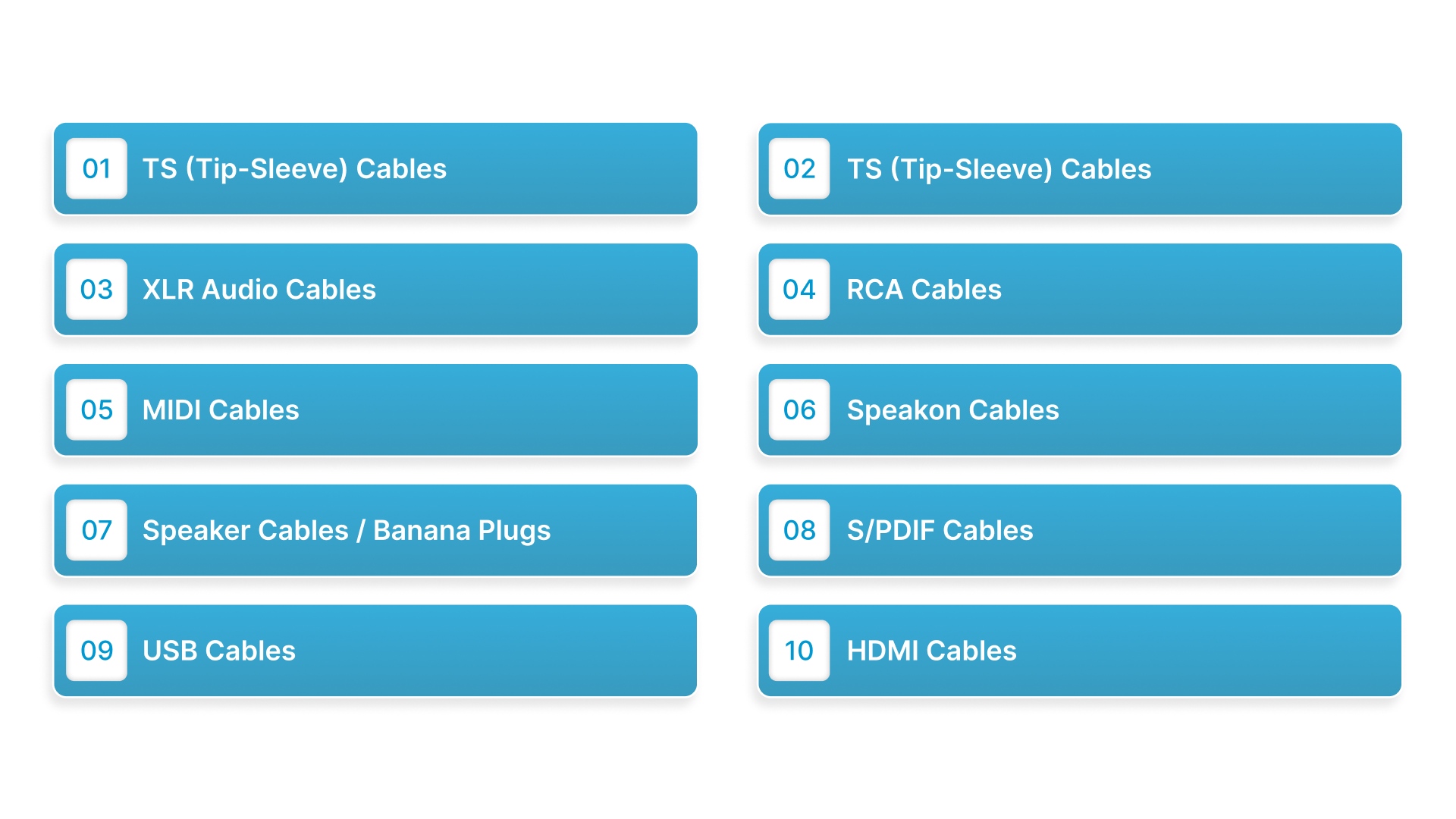
When it comes to setting up audio equipment, choosing the right connectors is crucial for ensuring optimal performance and avoiding issues like signal loss or interference. Below, we explore the most common types of audio connectors, their uses, and why they matter.
1. TS (Tip-Sleeve) Cables
Use: TS cables are the go-to choice for connecting unbalanced instruments such as electric guitars, keyboards, and drum machines to audio interfaces, amplifiers, and mixers.
Characteristics: This cable type has two conductors: one for the signal and one for ground, making it an unbalanced connection. While they’re often used in professional settings, they are most effective over short distances because signal degradation can occur over longer runs.
Common Sizes: Typically available in 1/4-inch (6.35mm) and 1/8-inch (3.5mm) sizes, making them versatile for both professional audio gear and consumer equipment.
2. TS (Tip-Sleeve) Cables
Use: TRS cables are versatile, serving both balanced and unbalanced connections, making them ideal for headphones, audio equipment, and studio monitors.
Characteristics: TRS cables feature three conductors and carry left, right, and ground signals for stereo audio. When used for balanced audio, they transmit positive, negative, and ground signals, making them less prone to interference.
Common Sizes: Typically found in 1/4-inch (6.35mm) and 3.5mm versions, TRS cables are commonly used in studio setups and high-quality headphones. Adapters are also available to convert 3.5mm to 1/4-inch (6.35mm).
3. XLR Audio Cables
Use: XLR cables are essential for connecting professional microphones, audio interfaces, and powered speakers in both live sound and recording environments.
Characteristics: These cables offer balanced connections with three pins, making them highly resistant to electromagnetic interference (EMI), which is especially important for long cable runs in professional settings.
Applications: XLR cables are primarily used for microphones, stage equipment, mixers, and audio interfaces. They’re also found in phantom-powered condenser microphones, which require 48V of power to function.
4. RCA Cables
Use: Common in consumer electronics like stereos, turntables, and home theater systems, RCA cables are used for transferring audio and video signals.
Characteristics: These cables are unbalanced and typically come in red and white (or black) color-coded connectors, with red for the right audio channel and white for the left.
Applications: RCA cables are typically used to connect older audio systems and video equipment such as DVD players, TVs, and VCRs.
5. MIDI Cables
Use: MIDI (Musical Instrument Digital Interface) cables transmit digital performance data between music production equipment, such as keyboards, synthesizers, and computers.
Characteristics: Unlike other cables, MIDI cables don’t carry audio signals but rather data about musical notes, timing, and performance. These cables often feature 5-pin DIN connectors and can support up to 16 channels of information.
Applications: MIDI cables are crucial for digital audio workstations (DAWs), MIDI controllers, and sound modules, enabling them to communicate and control various musical elements in real time.
6. Speakon Cables
Use: Speakon cables are used in high-power applications like connecting loudspeakers and amplifiers in live sound systems.
Characteristics: Designed to handle high-voltage, high-current audio signals, Speakon connectors have a locking mechanism that ensures a secure connection, even in high-vibration environments. They’re often preferred for PA systems or any setup that demands reliable connections for loudspeakers.
Applications: These are often seen in professional audio environments, where powerful amplification is required to deliver sound over large areas.
7. Speaker Cables / Banana Plugs
Use: Commonly used for connecting speakers to amplifiers in both home audio systems and professional setups.
Characteristics: These cables often come with banana plugs, which provide a secure, easy-to-connect solution for speaker terminals. They’re ideal for home audio enthusiasts or anyone needing a reliable connection for hi-fi systems.
Applications: Banana plugs are used to connect speakers to AV receivers, amplifiers, and home theater systems, offering both convenience and safety in connection.
8. S/PDIF Cables
Use: S/PDIF (Sony/Philips Digital Interface) cables are used to transmit digital audio between devices such as soundbars, TVs, and AV receivers.
Characteristics: Available as coaxial RCA cables or optical TOSLINK cables, S/PDIF is capable of carrying high-quality digital signals without the risk of analog distortion.
Applications: These cables are commonly used in home theater systems, soundbars, and AV receivers, where clear, uncompressed audio is essential for a premium listening experience.
9. USB Cables
Use: USB cables are widely used in digital audio systems for connecting audio interfaces, MIDI controllers, and other devices to computers.
Characteristics: USB connectors can transmit both power and data, and they’re essential for modern audio setups. With USB-C becoming the standard for many devices, the cable’s versatility makes it indispensable in the audio industry.
Applications: USB cables are used to connect microphones, audio interfaces, and MIDI controllers to computers for music production and recording.
10. HDMI Cables
Use: HDMI (High-Definition Multimedia Interface) cables are primarily used to carry both audio and video signals for high-definition content.
Characteristics: Known for delivering high-definition video, HDMI cables also support multi-channel lossless audio formats such as Dolby TrueHD and DTS-HD.
Applications: These are found in home theaters, media streaming devices, and gaming consoles, providing both video and audio in a single, efficient connection.
Understanding the right connector for your application is essential in ensuring optimal performance.
Find the perfect audio adapters for your setup. Explore Scan Sound's range of audio adapters, including mono-to-stereo adapters, USB audio adapters, headset-to-telephone solutions, and audio extension cables.
Also Read: MRI Headphones: Your Guide to a Quieter Scan
With a clearer idea of the connector types, it’s time to explore the factors you should consider to ensure you’re using the right one for your setup.
Factors to Consider For Installing the Right Connector
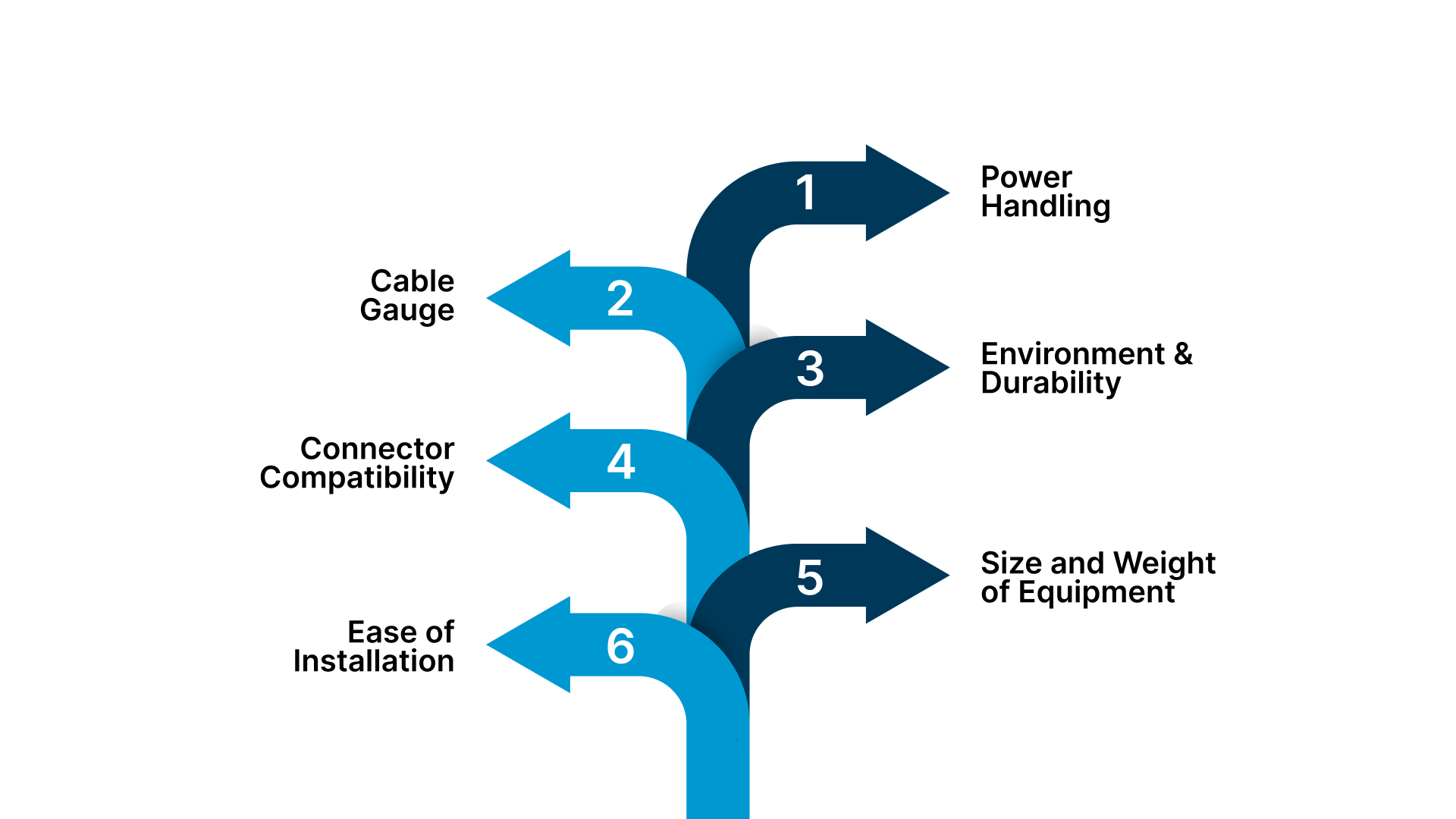
Choosing the right audio connector requires careful consideration of several technical factors to ensure efficient performance and long-term durability. Here are the critical points to keep in mind:
Power Handling: Ensure the connector and cable can support the power output of your system. For high-power setups, Speakon connectors are the most reliable, designed to handle large currents without risk of overheating or signal loss.
Cable Gauge: For runs over 20 feet, use a thicker cable (lower AWG number). Thicker cables minimize signal degradation and improve bass response by ensuring efficient power delivery. These cables are better paired with larger connectors like Speakon for enhanced performance.
Environment & Durability: If your setup is in an outdoor or permanent installation, use connectors made from corrosion-resistant materials to withstand exposure to elements. For mobile or stage use, prioritize locking connectors to prevent accidental disconnections, especially during live performances.
Connector Compatibility: Consider the connector type that matches your equipment's ports (e.g., XLR, TRS, RCA, Speakon). Ensuring the right fit is essential for maintaining optimal signal integrity and preventing interference.
Size and Weight of Equipment: For heavier or larger audio equipment, use heavier-duty connectors that provide a secure, stable connection. This ensures the system withstands physical stress without loosening or disconnecting.
Ease of Installation: Look for connectors with easy-to-terminate designs. For instance, some Speakon and XLR connectors feature screw or compression terminals that are easy to work with, especially in environments where frequent setup changes may be required.
Considering all these factors ensures your setup will be reliable, safe, and capable of delivering high-quality audio.
Recommended Read: Benefits of Disposable Headphone & Headset Covers
Once you’ve selected the right connectors, here are some key practices to help you maintain clear and reliable connections.
Key Tips for Perfect Audio Connectivity
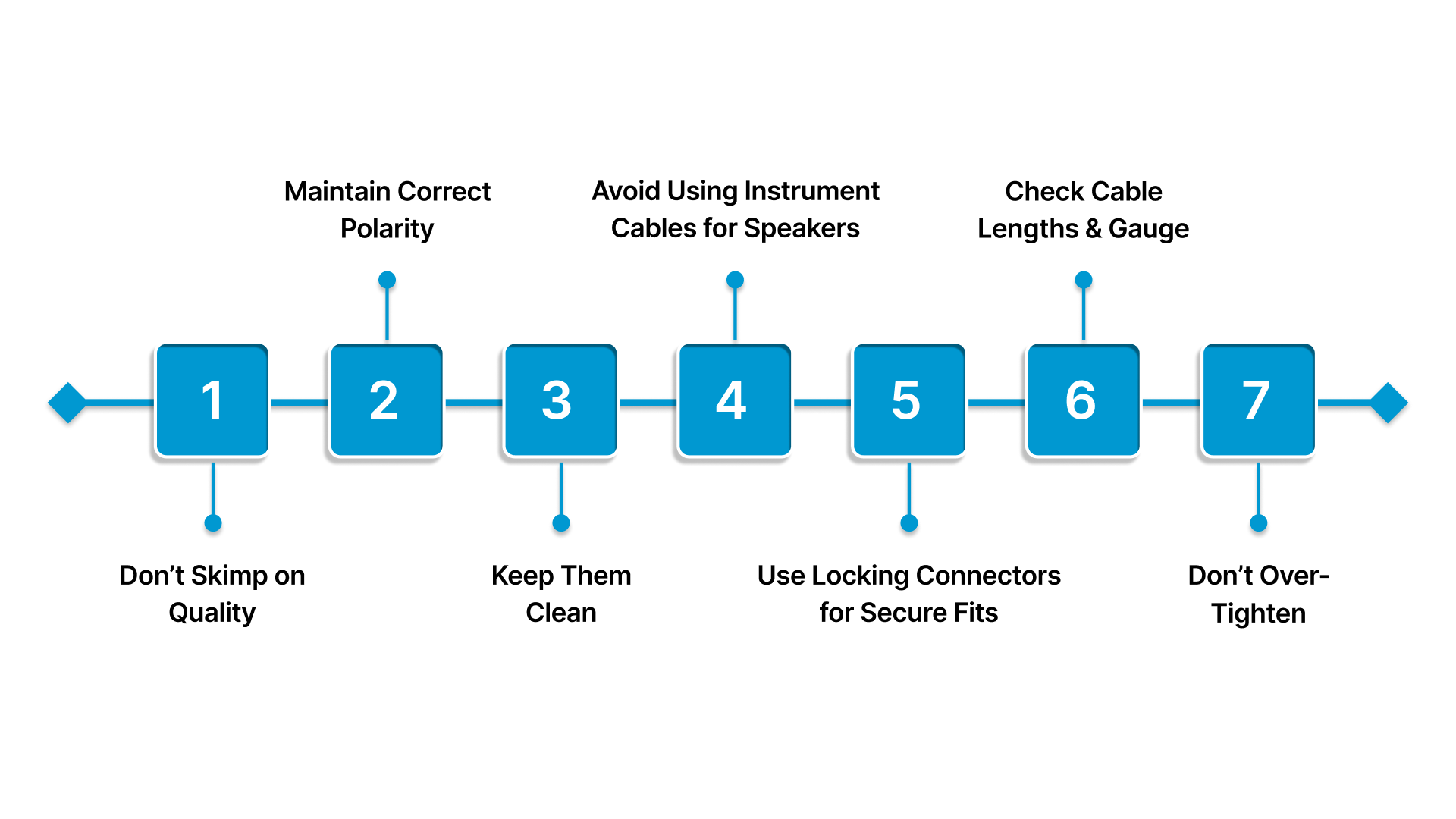
When it comes to audio connectors and adapters, a small mistake can lead to major performance issues or even damage your equipment. Here are key practices to ensure a clean, reliable connection:
Don’t Skimp on Quality: Invest in reputable connectors. High-quality options offer better conductivity and last longer, reducing the risk of signal loss or wear over time.
Maintain Correct Polarity: Always double-check your connections. Ensure that positive (red) goes to positive, and negative (black) to negative. Misconnections can cause distorted or no sound.
Keep Them Clean: Dust, dirt, and oxidation can degrade performance. Periodically unplug your connectors and gently wipe them with a dry, lint-free cloth to keep them clean.
Avoid Using Instrument Cables for Speakers: Never connect your amplifier to a passive speaker using an instrument cable. Instrument cables are shielded, while speaker cables are unshielded and have thicker wires to handle the amp's high power. Using the wrong cable can cause safety hazards or damage your equipment.
Use Locking Connectors for Secure Fits: If you're setting up a permanent or high-traffic system, opt for connectors with locking mechanisms. They provide a firm, stable connection that won’t easily come loose.
Check Cable Lengths and Gauge: Using cables that are too long or too thin can lead to signal loss or reduced audio quality. Select cables with the appropriate length and gauge for your setup.
Don’t Over-Tighten: While it’s important to make secure connections, over-tightening can damage connectors or cables. Hand-tighten, or use the manufacturer’s recommended torque for metal connectors.
Following these tips ensures a clean, efficient connection that enhances performance and durability.
Whether you're converting between mono and stereo or extending your setup, Scan Sound’s high-quality products provide seamless performance for both professional and personal use. Ensure reliable audio connections with our range of stereo and mono adapters (2.5mm, 3.5mm, 4-conductor) and audio extension cables (4 inches to 25 feet).
Now, let’s explore how Scan Sound’s adapters and solutions can help you achieve flawless audio connections.
Complete Your Audio Setup with Scan Sound Adapters
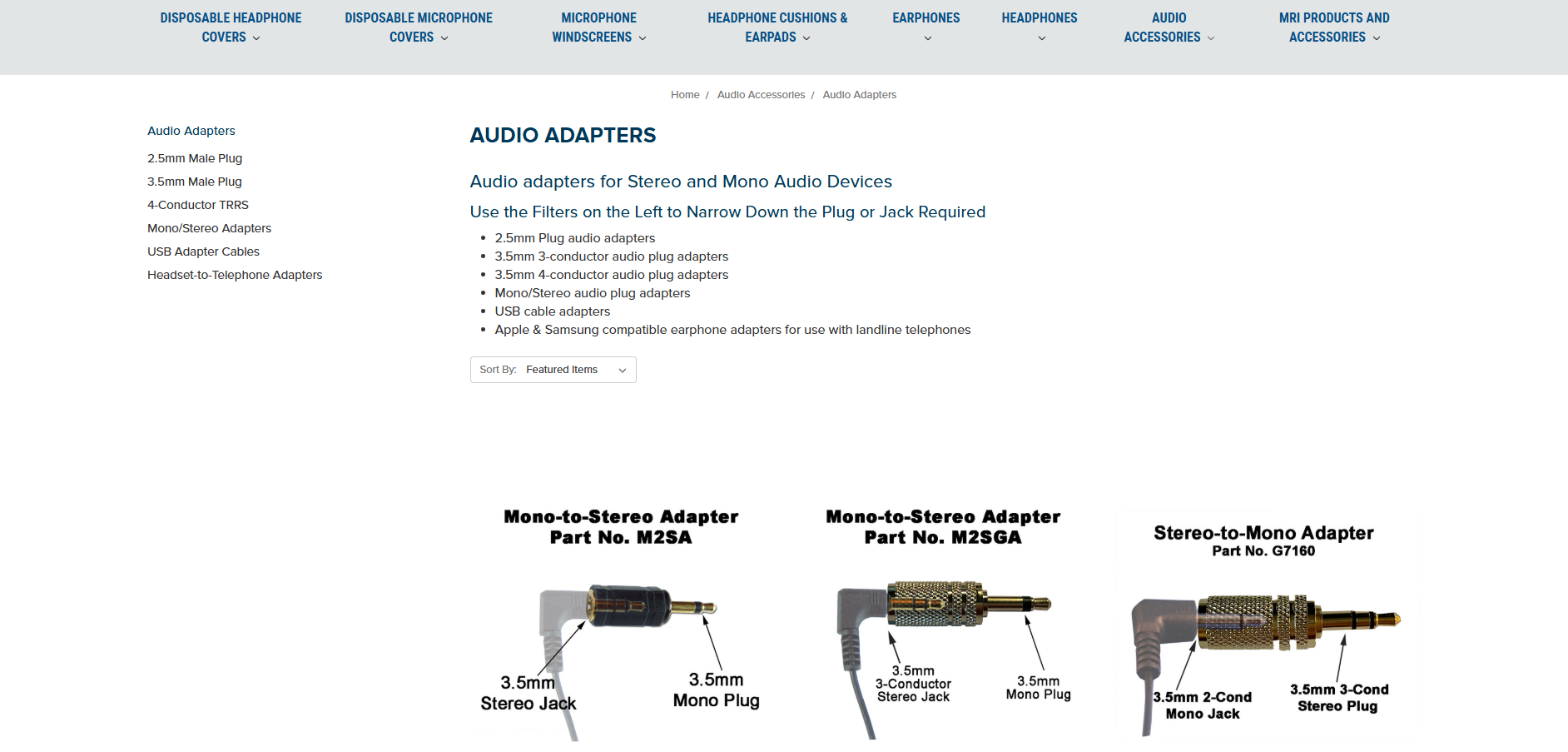
Scan Sound offers a wide variety of audio adapters and solutions designed to connect your equipment seamlessly and efficiently. Whether you're in healthcare, education, or just need a solution for your personal audio setup, we have you covered:
Audio Adapters for Stereo and Mono Devices: Effortlessly connect stereo and mono audio systems with a range of 2.5mm, 3.5mm, and 4-conductor plugs designed for various setups.
Quick Compatibility Options: From USB to audio adapters to Apple & Samsung earphone adapters, we provide solutions for connecting your devices to landline phones and other audio equipment.
Mono/Stereo Converters: Convert between stereo and mono setups with specialized adapters like the Stereo-to-Mono Converter using 1-BUD patented technology for flawless signal conversion.
Headset-to-Telephone Adapters: Connect 4-conductor 3.5mm headsets to 2.5mm jacks on cordless and desktop phones, with options for OTMP/Samsung and Apple compatible earphones.
Extension Cables for Added Reach: Extend your headphones, earphones, or speaker systems with high-quality audio extension cables. Available in lengths from 4 inches to 25 feet, they are perfect for connecting to computers, TVs, iPods, and more.
Scan Sound’s adapters and cables deliver reliable performance across diverse audio applications, from healthcare and education to personal audio setups.
Conclusion
In this guide, we’ve covered the various types of audio connectors and adapters, providing insights into the most commonly used types and their practical applications. From understanding the difference between stereo and mono connections to selecting the right adapters for your equipment, it is clear that choosing the right connectors is critical for optimal audio performance.
Scan Sound offers a wide selection of high-quality audio adapters and connectors to meet the needs of both professional and consumer audio setups. With a focus on safety, quality, and compatibility, our adapters are perfect for healthcare environments, educational institutions, and personal use alike.
Get in touch with us to find the perfect audio adapters for your setup or inquire about bulk orders for your healthcare facility, school, or office today!
FAQs
1. What is TRS and TRRS?
TRS (Tip-Ring-Sleeve) and TRRS (Tip-Ring-Ring-Sleeve) are terms used to describe the number of conductors in a 3.5mm audio connector. TRS connectors are typically used for stereo audio, while TRRS connectors are used for stereo audio with a microphone or for video/audio signals.
2. How to Identify Connector Types?
Connector types can often be identified by the number of rings or sections on the plug. A TRS connector has two rings, while a TRRS connector has three. Additionally, labels and color-coding are often used to distinguish connector types, like green for audio out or pink for a microphone.
3. What Are the Standard Audio Connectors?
Standard audio connectors include 3.5mm jacks, XLR connectors, RCA connectors, and ¼-inch TRS. These connectors are used across a range of audio applications, from professional audio equipment to consumer devices such as headphones and speakers.
4. How to Identify Audio Jacks?
Audio jacks can be identified by their size, shape, and number of rings or conductors. Common types include 3.5mm jacks for most consumer devices, ¼-inch jacks for musical instruments, and XLR connectors for balanced audio setups. Always check the label and match it with the plug type.
5. What’s the Difference Between Mono and Stereo Connectors?
Mono connectors (with one ring) transmit a single audio channel, while stereo connectors (with two rings) transmit left and right audio channels. Mono connectors are typically used for instruments or microphones, and stereo connectors are used for headphones or audio systems.