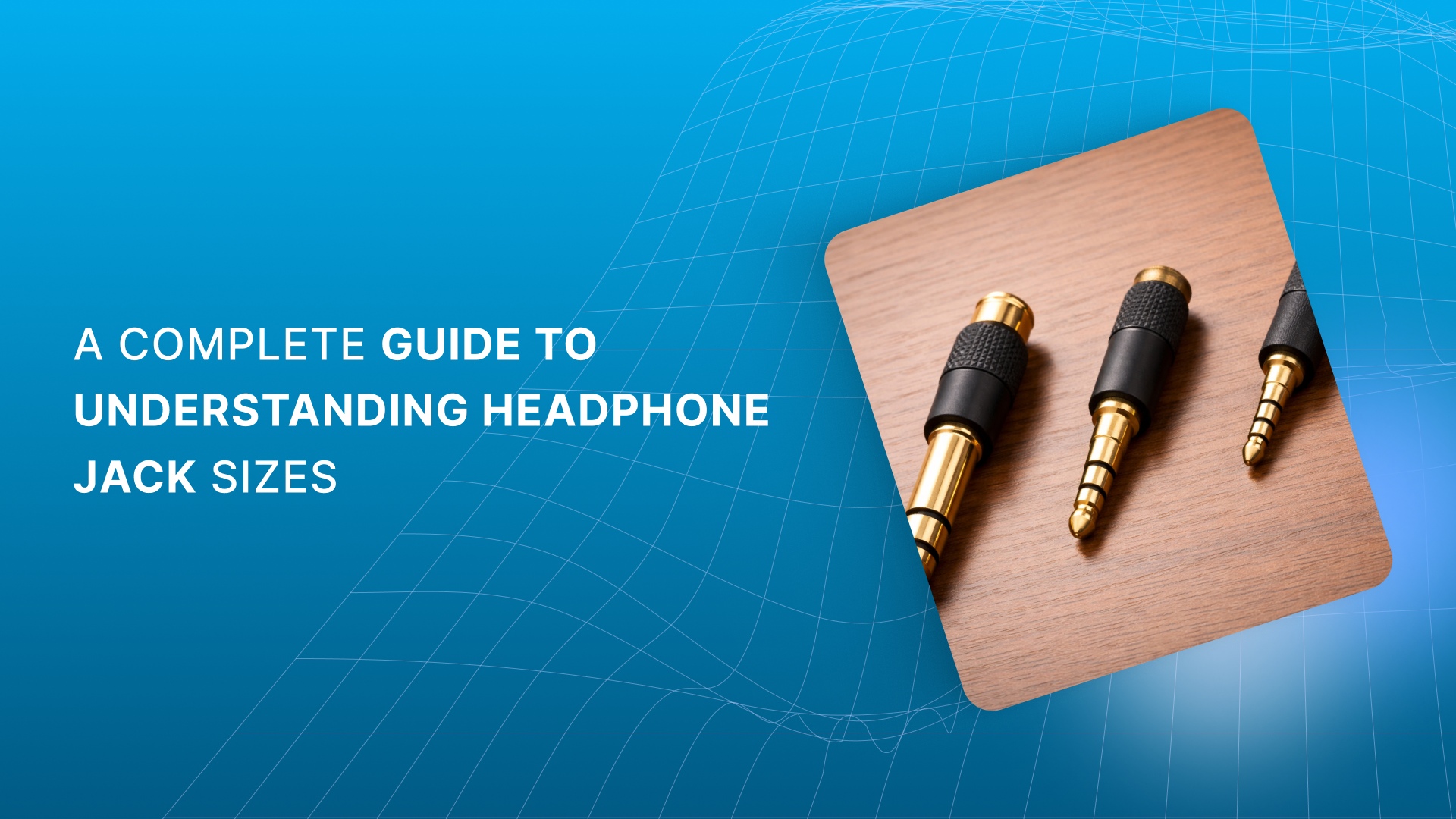
Choosing the right audio jack plug size can be surprisingly tricky. From frustrating compatibility issues to poor sound quality, using the wrong jack can ruin your audio experience. Whether you're connecting headphones to a device or setting up an audio system, it’s easy to get overwhelmed by the sheer variety of plug sizes available.
This guide walks you through the different headphone jack sizes, explains their types, and shows you how to choose the right one for your devices. You’ll understand which plug size is best for your needs, saving you time and avoiding costly mistakes.
Quick Recap
Headphone jack sizes matter: Understanding the differences between 2.5mm, 3.5mm, and 6.35mm ensures proper device compatibility and better sound quality.
Audio connectors vary by configuration: Mono (TS), stereo (TRS), and TRRS jacks serve different needs, from basic audio to adding mic support.
Professional vs. consumer use: 3.5mm jacks are common in consumer devices, while 6.35mm plugs are built for professional audio equipment, offering durability.
Use the right adapter: Mono/stereo adapters and plug converters help ensure compatibility across devices, preventing signal loss or poor audio quality.
Proper cable maintenance is key: Careful handling and regular inspection prevent wear and tear, ensuring your cables deliver clear, uninterrupted sound.
What Are Audio Jacks and Headphone Plugs?
Audio jacks and headphone plugs are essential components that let you enjoy clear, high-quality sound from your devices. They help ensure audio signals flow seamlessly between your devices and headphones.
An audio jack is a port found on devices like smartphones, laptops, and audio mixers. It receives the headphone plug and transmits the audio signal. The headphone plug is the male connector that fits into the audio jack. It carries the audio signal from the device to your headphones.
Both audio jacks and plugs handle analog and digital signals, depending on the device and plug configuration. From everyday headphones to professional equipment, they are found in a wide range of audio devices, making them crucial for audio setups.
Now that we've covered the basics of audio jacks and headphone plugs, let’s look at the key features that distinguish one from another.
Key Features That Set Audio Jacks Apart
Understanding the key features of audio jacks can help you choose the right one for your setup. Here are the most important factors:
1. Connector Types
Audio jacks come in mono and stereo types:
Mono (TS) jacks have a single audio channel, commonly used with instruments like electric guitars or microphones.
Stereo (TRS) jacks have two audio channels, essential for headphones or earphones that separate left and right audio signals.
2. Extra Contact Points
Some jacks have additional contact points:
TRRS (Tip, Ring, Ring, Sleeve) connectors add an extra ring, enabling features like microphone input or video output.
3. Shielding and Impedance Matching
Proper shielding and impedance matching ensure high-quality sound:
Shielding protects against external noise, delivering clearer audio.
Impedance matching ensures that devices work well together, preventing distortion and signal loss.
Pro Tip: If your cables are poorly shielded or impedance is mismatched, you might experience buzzing or poor audio quality. Keep an eye on these factors for a clean sound experience.
With a clear understanding of these features, let’s move on to the role of XLR connectors and Y splitters in creating high-quality audio systems.
The Role of XLR and Y Splitters in Audio Systems
Whether you're working in live sound, studio recording, or mixing environments, XLR connectors are known for their durability and balanced connection properties, which provide clear, noise-free audio over long cable runs.
When it comes to headphones, there are two primary types of XLR connectors:
2x 3-pin XLR connectors
4-pin XLR connectors
Both types offer balanced connections, ensuring high-quality sound with minimal interference.
Headphone Y splitters are handy tools when you need to send an audio signal to multiple headphones or devices. There are two main types, each designed for different purposes:
Regular Stereo Y Splitter (TRS Connector): This splitter takes a single audio signal and splits it into two outputs. It’s commonly used when you want to share music between two listeners or connect multiple headphones to one audio source.
Stereo Y Splitter with Microphone Jack (TRRS Connector): If you want to use both headphones and an external mic, this type of splitter is what you need. It splits the headphone signal and provides a dedicated mic jack, making it ideal for setups that need both audio output and input.
These professional and practical tools can significantly enhance your audio setup, ensuring seamless connections and better quality, whether you're mixing audio tracks or sharing music with others.
XLR and Y splitters are crucial in pro setups, but to really understand how audio jack types work, we should explore the most common sizes and their uses.
Common Types of Headphone Jack Sizes
Audio jack plug sizes can seem overwhelming, but understanding the differences and their intended uses will simplify your choices. Below, we break down the most common audio jack sizes and configurations, and when you should use them.
Quick Glance: Headphone Jack Sizes At A Glance
Feature | 2.5mm Jack | 3.5mm Jack | 6.35mm Jack |
Diameter | 2.5mm (0.098") | 3.5mm (1/8") | 6.35mm (1/4") |
Plug Length | 11mm (0.43") | 14mm - 17mm (0.55" - 0.69") | 30mm - 31mm (1.18" - 1.22") |
Common Name | Micro Jack | Mini Jack / Stereo Jack | 1/4" Jack / Phone Jack |
Primary Use | Specialized gear, balanced audio | Consumer devices like smartphones and laptops | Professional audio equipment, musical instruments |
Durability | Least durable, more prone to wear | Moderately durable, suitable for everyday use | Most durable, built for heavy use |
Common Devices | Aviation headsets, portable amplifiers | Smartphones, laptops, earbuds | Studio equipment, guitars, DJ gear |
1. 3.5mm Plug: The Standard for Consumer Audio
The 3.5mm jack, also known as the AUX or headphone plug, is the most common in consumer devices. It was first introduced in the 1950s and remains the go-to connector for a variety of gadgets today, from smartphones to laptops. The 3.5mm connector is of 3 types:
TS (Tip-Sleeve): Used for mono audio connections. Commonly seen in external microphones and instruments.
TRS (Tip-Ring-Sleeve): The most common version. It supports stereo audio (left and right channels) and is widely used for headphones.
TRRS (Tip-Ring-Ring-Sleeve): Adds an extra contact ring to support microphone and inline controls, making it ideal for headsets and smartphones.
2. 6.35mm Plug: Professional and Studio-Grade
Larger than the 3.5mm plug, the 6.35mm jack (also called 1/4-inch plug) is standard in professional audio equipment. You'll often find it in studio headphones, amplifiers, and musical instruments.
TS: Often used in guitars or synthesizers.
TRS: This version is used in audio equipment that requires greater durability.
Though the 6.35mm and 3.5mm plugs have similar power capabilities, the larger 6.35mm is more rugged and often chosen for professional setups due to its reliability.
3. 2.5mm Plug: The Smaller, Fragile Alternative
The 2.5mm plug is much less common than its larger counterparts but serves a unique purpose. Mostly used in detachable headphone cables, it supports a balanced connection for clearer sound.
TS: Typically used in detachable cables where the drivers (speakers) are powered separately, often found in higher-end audio gear.
TRS: Found in wireless earphones, supporting stereo audio with an added ring for balance.
TRRS: This configuration is used for balanced connections, but it's less common for true balanced audio.
Though 2.5mm jacks are not as widely adopted, their balanced connection potential appeals to audiophiles seeking better sound clarity.
4. 4.4mm Plug: A Specialty for Audiophiles
The 4.4mm Pentacon plug is the rarest among the mainstream sizes and is primarily used by audiophiles who want the best sound quality. This plug offers a balanced stereo signal, making it ideal for high-end headphones and custom audio setups.
TRRRS: A specialized version supporting balanced stereo audio, which requires compatible equipment and cables. Introduced in 2015, it’s perfect for those invested in premium sound systems.
The 4.4mm plug provides greater signal integrity and clarity, but its specialized nature means it’s mainly suited for high-performance audiophile setups.
Each plug size and type offers different advantages: professional-grade plugs like the 6.35mm offer durability and reliability for live setups and studio use, while the 3.5mm remains versatile and accessible for everyday consumers.
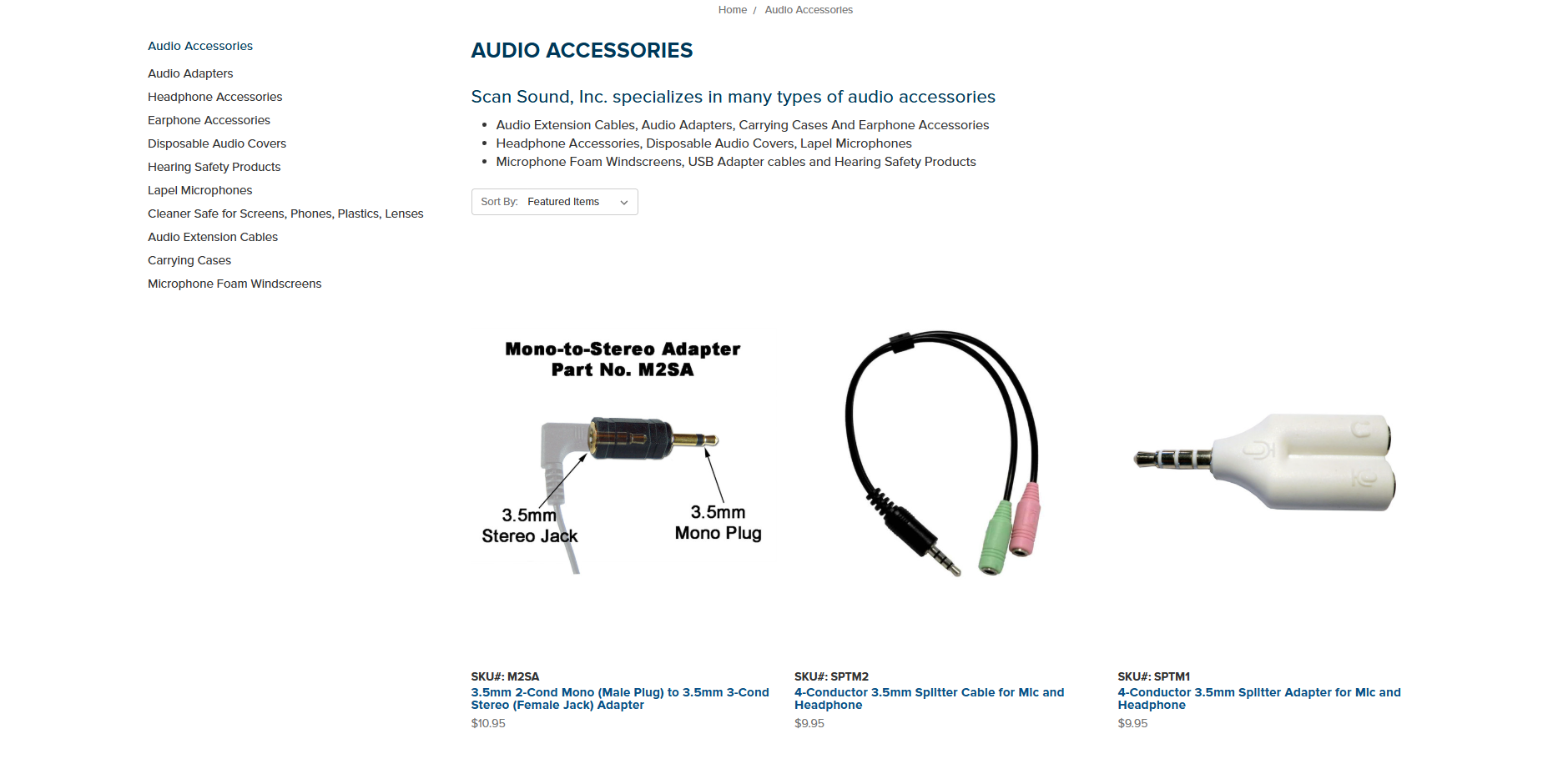
Looking for the perfect audio adapters? Scan Sound has a wide range of 2.5mm, 3.5mm, and 4-conductor plugs to suit your needs. Whether you're converting between mono and stereo or need a True Stereo-to-Mono Converter using our 1-BUD patented technology, we’ve got you covered.
Other Types of Audio Jacks
With the decline of headphone jacks in modern smartphones, USB-C or Lightning plug splitters have emerged, offering a convenient solution for users who still need to connect wired headphones or external mics to their devices.
Lightning Jack: Apple's proprietary Lightning connector is commonly used on iPhones, iPads, and iPods. Beyond audio, it supports charging, data transfer, and other functions, making it an all-in-one solution in Apple's ecosystem.
Magnetic Jack: Magnetic jacks provide a secure connection via magnets, primarily used for charging but also supporting audio in some cases. This design ensures a stable connection while offering added convenience and safety.
USB Jack (A and C)
USB connectors, now ubiquitous across devices, support audio, data, and power transmission.
USB Type-A is commonly seen in computers, gaming consoles, and other devices. It is versatile for a range of applications, including audio.
USB Type-C, with its compact, reversible design, is becoming the standard for modern devices. It facilitates high-speed data transfer, charging, and audio, making it ideal for smartphones, laptops, and tablets.
These alternative jacks reflect the evolution of audio technology, enabling enhanced connectivity and supporting the growing diversity of modern devices.
If you're shifting from traditional headphone jacks to USB-C, Scan Sound offers a range of USB adapter cables to make the transition smooth. Whether you need to connect portable hard drives, cameras, MP3 players, or gaming devices to your computer, our USB cables are designed to keep your devices powered and transmitting audio without a hitch.
Also Read: MRI Headphones: Your Guide to a Quieter Scan
Having looked at the various types of jacks, it’s important to recognize how certain factors can influence the overall sound quality.
Factors of Headphone Jacks and Plugs That Affect Sound Quality
The quality of headphone jacks and plugs plays a crucial role in determining the overall sound experience. Let’s break down how this happens.
1. Construction Quality and Fit
A low-quality plug might not fit snugly into the jack, causing a poor connection. This can introduce buzzing sounds or a weak signal, leading to frustrating audio dropouts.
2. Mono vs. Stereo Signal
In a mono setup, only one audio channel is transmitted. In contrast, stereo carries two distinct channels, left and right, for a more immersive sound experience.
Mono (TS): A mono signal is transmitted through a single channel. If you connect a stereo plug (TRS or TRRS) to a mono jack, you’ll only hear the left channel because the tip carries the left audio signal.
Stereo (TRS/TRRS): For full stereo sound, ensure that you’re using a stereo plug with a stereo jack. Misconnecting these can result in partial or no sound from one channel.
By using two audio channels, left and right, we get a richer, more realistic audio experience.
3. Compatibility with Devices
Another key factor is ensuring compatibility with your devices. Always check the specifications to confirm that your jack is the right size and type for the equipment. While 3.5mm jacks are standard on most consumer devices, professional equipment might require 6.35mm or XLR connectors.
When devices with different jack sizes need to connect, adapters and converters can bridge the gap, ensuring seamless communication between your equipment.
4. Balanced vs. Unbalanced Audio
Balanced audio is essential for noise reduction, especially in professional environments. However, this benefit only applies when both devices in the connection are designed for balanced audio.
Unbalanced (TRS): A common format in most consumer devices. In an unbalanced cable, both negative signal wires are tied together, which can cause some interference.
Balanced (TRRS): Features an additional wire to ensure the left and right signals are isolated, offering better sound clarity and louder output. It’s particularly useful for high‑impedance headphones.
5. Audio Quality and Interference
When selecting audio jacks, it's vital to prioritize noise reduction and signal integrity. Balanced connections, such as TRS or XLR connectors, offer superior noise reduction, making them ideal for professional applications where sound quality is critical.
Understanding these different aspects ensures your headphone audio jacks contribute to, rather than detract from, sound quality.
Now that you know how different jacks affect audio quality, let’s discuss some of the common problems you might face with headphone jacks and plugs.
Problems with Headphone Jacks and Plugs
Headphone jacks and plugs are designed for ease of use, but the constant plugging and unplugging can lead to various issues over time. Here are some of the most common problems you might face with headphone jacks and plugs:
Loose Headphone Jack: Over time, the golden pins inside the headphone jack, which grip the plug, can lose their springiness. This causes a loose fit, and the plug may slip out with minimal effort.
Unfortunately, once the pins lose their grip, the only solution is to be extra careful when plugging and unplugging your headphones.
Dirt and Debris in the Jack: Your headphone jack is exposed to a lot of dust, lint, and other debris, especially if it’s tucked into your pocket or bag. Over time, this gunk can build up inside the jack, making it harder for the pins to make a proper connection.
Damaged Plug or Connector: Accidents happen. If you step on the cable or yank the plug too hard, you could damage the connector. While headphone plugs are fairly resilient, they can break if subjected to excessive force.
Wear and Tear on the Jack: Over time, the pins inside the jack can wear down from constant contact with the plug. This can result in poor signal transmission, leading to audio issues such as one channel dropping out or microphone malfunctions.
Simple maintenance, like cleaning the jack and handling the plug with care, can prevent these issues from becoming major headaches.
Recommended Read: Benefits of Disposable Headphone & Headset Covers
When issues arise with your audio connections, proper maintenance is essential to keep everything running smoothly. Let’s go over some key tips for maintaining your cables.
Tips for Properly Maintaining Your Jack Cables
Taking care of your jack cables ensures they deliver high-quality sound for years and prevents costly replacements. Here are some practical tips for maintaining your cables:
Coil with care: Avoid tight coils, as they can lead to knots or kinks that could damage the internal wires over time.
Never pull the cable: Grasp the plug firmly instead. This simple habit prevents strain on the cable's connections, prolonging its life.
Inspect regularly: Make it a habit to check cables for signs of wear, like frayed ends or exposed wires.
Keep them clean: Wipe cables and connectors with a soft, dry cloth to remove dust and dirt. Harsh cleaners or chemicals can harm the cable’s material, so stick to gentle cleaning methods.
Mind the environment: Temperature extremes, humidity, and exposure to moisture can degrade your cables. Store them in a cool, dry area, away from direct sunlight, to maintain their integrity.
Use protective caps: When transporting cables, cover the connectors with caps to prevent dirt and debris from entering and negatively affecting audio quality.
Invest in durable cables: Choose ones with sturdy outer jackets. High-quality materials provide better protection against physical damage and signal interference.
Taking the time to care for your cables ensures better performance and extends their lifespan, saving you money and unwanted frustration down the line.
Now that you have all the knowledge, it’s time to discuss how Scan Sound can provide the right connectors for your audio needs.
Find the Perfect Audio Connector with Scan Sound
At Scan Sound, we know how frustrating it can be when your audio setup isn’t working as expected. That’s why we offer a comprehensive range of audio adapters to ensure your connections are always secure, reliable, and of the highest quality.
2.5mm Male Plug Adapters: Ideal for legacy systems and devices requiring smaller connectors.
3.5mm Male Plug Adapters: The gold standard for most personal electronics, from smartphones to headphones.
4-Conductor TRRS Adapters: Essential for devices that need both stereo sound and microphone support.
Mono/Stereo Adapters: Easily convert mono audio to stereo, or vice versa, to match your system’s requirements.
USB Adapter Cables: Perfect for connecting peripherals like portable hard drives, cameras, and MP3 players to your computer or device.
Headset-to-Telephone Adapters: Adapt your earphones with built-in microphones for use with landline phones, whether Apple or Samsung compatible.
Whether you're working with legacy equipment, connecting to high-end audio systems, or upgrading your smartphone accessories, Scan Sound offers the right solutions for your listening needs.
Conclusion
Choosing the right headphone jack sizes directly impacts audio quality, device compatibility, and your overall listening experience. From everyday 3.5mm jacks to professional 6.35mm plugs, each size and configuration serves a very specific purpose. With the right size, type, and quality, you’ll enjoy cleaner sound and fewer interruptions.
If you’re looking for reliable, high-quality audio adapters and connectors, Scan Sound makes it simple to find exactly what you need. Whether you need 2.5mm, 3.5mm, 6.35mm, TRRS, USB, or headset adapters, you’ll find durable, well-engineered solutions designed to deliver clear, uninterrupted sound.
Talk to us about finding the perfect audio adapter for your setup today, and get expert guidance on choosing the right connectors for your devices.
FAQs
1. How do I know if I have a 2.5 mm or 3.5 mm jack?
To distinguish between a 2.5mm and a 3.5mm jack, measure the diameter of the plug. A 3.5mm jack is slightly larger than a 2.5mm jack, which is often used in older or smaller devices.
2. What are the sizes of headphone jacks?
The most common headphone jack sizes are 2.5mm, 3.5mm, and 6.35mm (1/4-inch). The 3.5mm jack is most commonly used for personal devices, while the 6.35mm jack is standard for professional audio equipment.
3. Is a 3.5 mm jack the same as a headphone jack?
Yes, a 3.5mm jack is often referred to as a headphone jack. It's the standard connector used in most consumer audio devices, including headphones, smartphones, and laptops.
4. How to identify a 3.5 mm jack?
A 3.5mm jack typically has a small metal plug with a diameter of about 3.5mm. It’s commonly used for stereo audio and has either a TRS (Tip-Ring-Sleeve) or TRRS (Tip-Ring-Ring-Sleeve) configuration, which supports both sound and microphone.