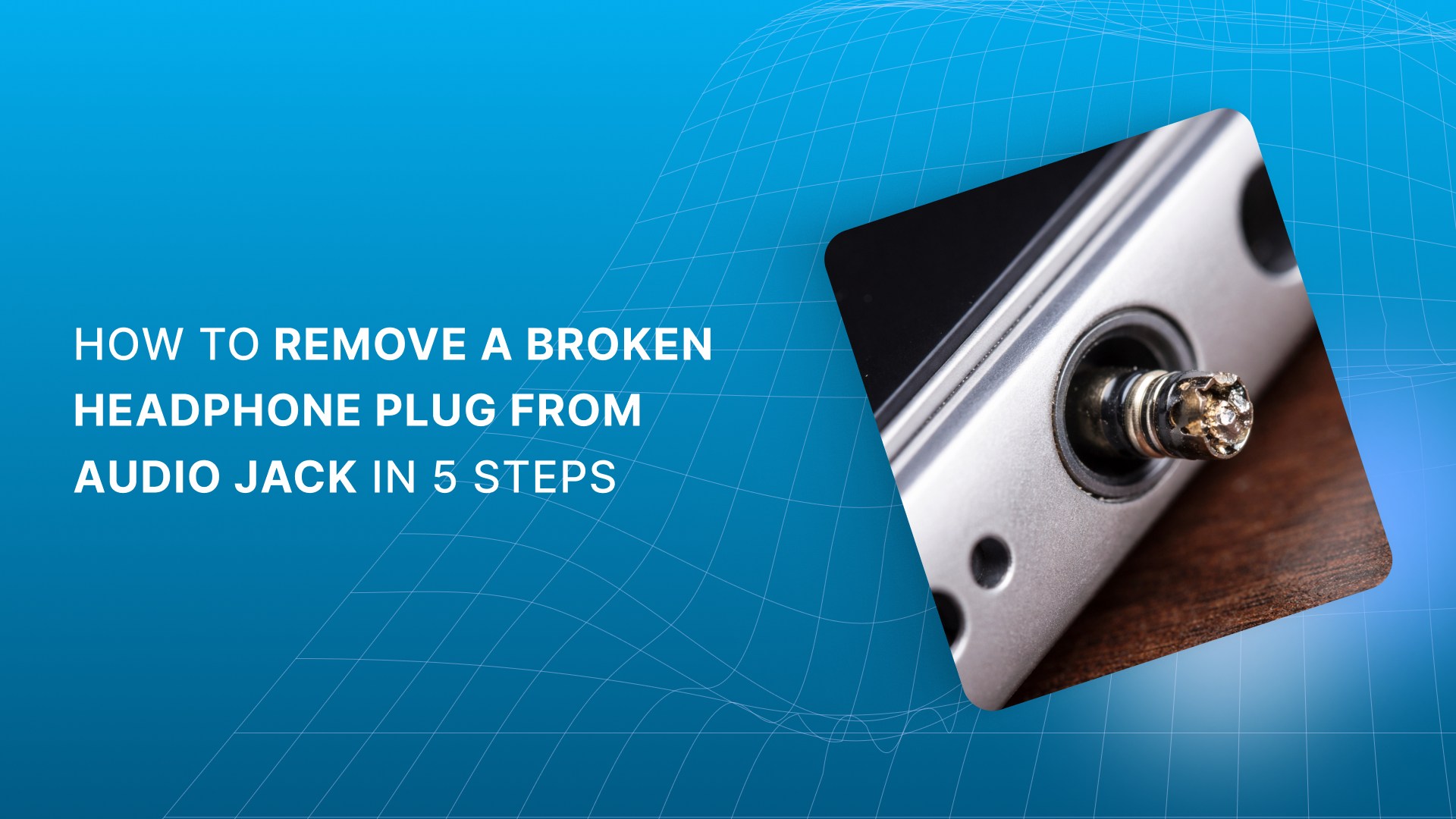
Your headphones stop working. Sound refuses to come through the speakers. You pull the cable and realize the plug tip snapped off inside the port. Frustrating, and stressful.
In most cases, removing a broken headphone plug means pulling the stuck piece straight out without damaging the audio jack. The challenge is doing this gently and with control.
Is your device stuck in headphone mode even with nothing connected? You may also be wondering if this just ruined the jack or voided the warranty.
This guide walks through safe removal methods first, using simple tools. It also explains when to stop and consider professional repair, so a small mistake does not turn into a costly one.
Read This Before You Try Anything
Most successful removals depend on control and alignment, not force. Pulling straight matters more than the tool you choose.
Front-access methods have a limit. Repeated attempts change the jack’s internal geometry and reduce recovery chances.
Adhesives solve grip problems but introduce new risks. Precision and timing matter more than strength or speed.
Some failures are mechanical, not user-caused. Build quality and strain relief play a bigger role than handling alone.
Prevention starts after removal. Small habit changes and reinforced accessories reduce repeat plug failures significantly.
Before you reach for any tool, it helps to understand what you are actually dealing with inside the port.
What Happens When a Headphone Plug Breaks Inside the Audio Jack
When a headphone plug breaks, the metal tip snaps off and stays inside the audio jack. This blocks the internal contacts that control audio routing, so sound no longer reaches the speakers. Your device may still detect “headphones connected” even though nothing is plugged in.
To avoid confusion, the plug is the metal connector on your headphones, while the jack is the socket inside your device. The broken fragment stays lodged because the jack’s spring contacts grip the metal tightly.
You may notice these symptoms:
No sound from speakers.
Audio stuck in headphone mode.
Inconsistent or distorted output.
Headphones no longer clicking into place.
This mechanical lock is what makes removal difficult and risky without the right approach.
Also Read: Which Earpads or Cushions Will Fit on Headsets
Once you understand what is holding the fragment in place, the next mistake is acting too quickly. A brief pause to assess the risk can save the audio jack from damage that is much harder to undo.
Before You Try to Remove a Broken Headphone Plug from Audio Jack
Once a plug breaks inside the jack, your first move should be to stop and assess the situation. Rushing in with tools often pushes the fragment deeper or damages the port. A short check now can save you from a permanent audio failure later.
Before attempting removal, review the basics below to confirm that a DIY approach is appropriate for your device and situation.
Safety and Warranty Check
Start with a quick safety and risk review. These checks help you decide whether to proceed or stop.
Power off the device completely and disconnect it from charging.
Check whether the device is under warranty or covered by service plans.
Confirm the jack is dry and free of debris or liquid damage.
Gather non-metal tools such as a plastic tube or wooden toothpick.
Do not proceed if the jack is loose, cracked, or recessed beyond reach.
Still dealing with audio issues or tired of fragile plugs? Switch to Scan Sound’s reinforced earphones and audio accessories built for repeated use and fewer failures.
If the checks look good and the jack is stable, you can move forward with removal. The key is to follow a calm, step-by-step approach that favors control over force.
5 Steps to Fix a Broken Headphone Plug Stuck in an Audio Jack
Removing a broken plug works best when you follow a graduated approach. You start with low-risk methods and move forward only if the previous step fails. If anything feels forced or misaligned, you stop. That pause often prevents permanent jack damage.
Use the steps below in order. Each step builds on control, not strength.
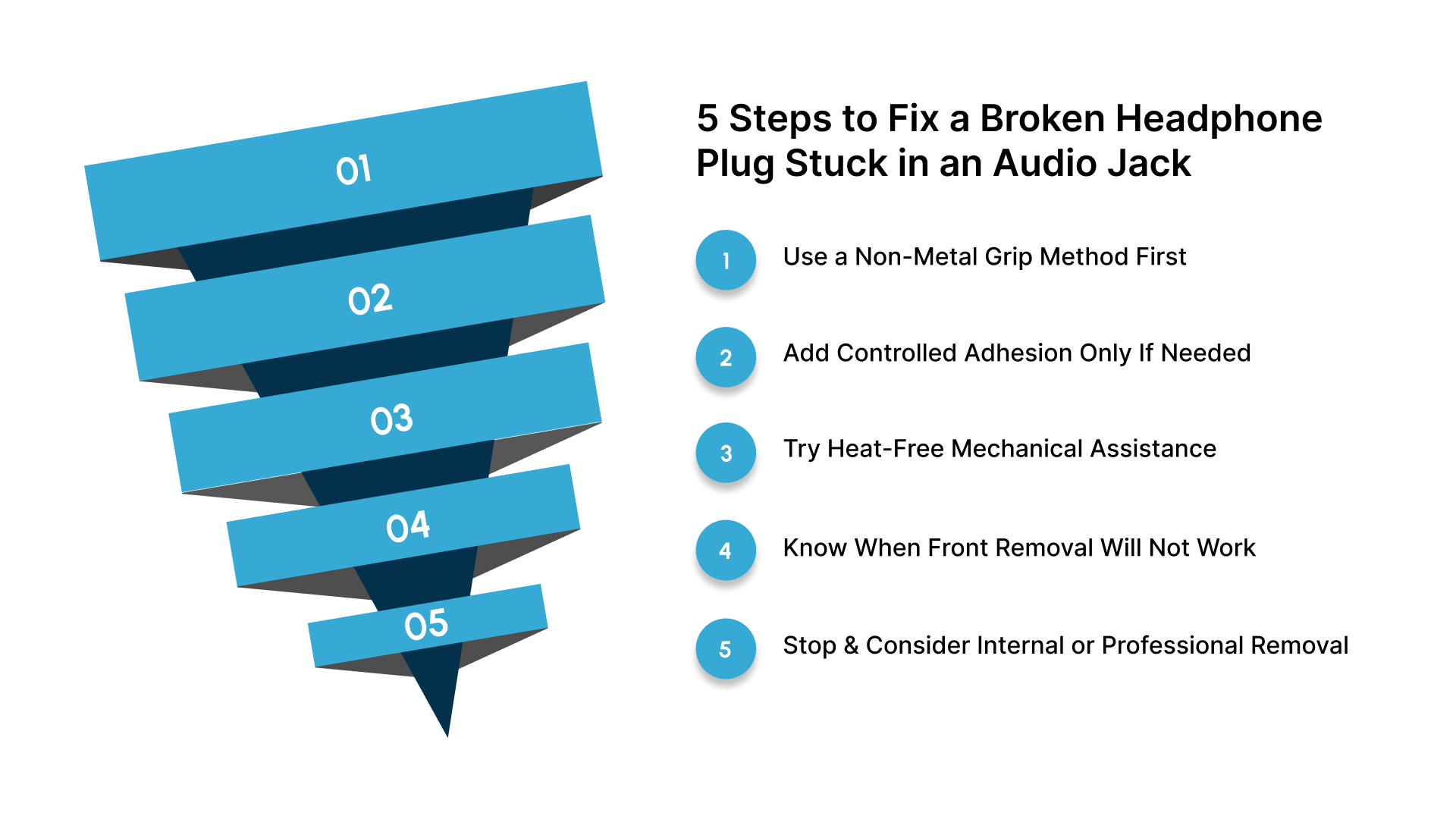
Step 1: Use a Non-Metal Grip Method First
Soft or hollow tools reduce the risk of scratching or spreading the jack contacts. They grip the broken fragment without expanding the port.
Start with non-metal options:
Ballpoint pen ink tube.
Plastic straw or spray-can tube.
Hollow cotton swab stem.
Insert straight, keep it centered, and pull directly outward.
Step 2: Add Controlled Adhesion Only If Needed
If friction alone fails, limited adhesion can help the tool grip the fragment. Timing and restraint matter.
Follow these controls:
Apply a very small amount of superglue inside the tool tip only.
Let it turn tacky before insertion.
Keep glue away from the jack walls.
Overflow can permanently bond the fragment to the port.
Step 3: Try Heat-Free Mechanical Assistance
Mechanical help improves contact without adhesives or heat. Alignment matters more than pressure.
Use these adjustments:
Seat the tool gently with light tapping.
Keep the tool straight and centered.
Pull slowly and evenly.
Rushing increases slip and internal damage.
Step 4: Know When Front Removal Will Not Work
Repeated failed attempts change the problem. Each try can wedge the fragment deeper.
Stop if you notice:
No movement after multiple attempts.
Increasing resistance.
The tool slipping off repeatedly.
At this point, front access is no longer effective.
Step 5: Stop and Consider Internal or Professional Removal
Some jacks grip the fragment from the rear. Accessing it requires opening the device or removing an internal board.
Key considerations:
Rear-access methods push the fragment out safely
This is not beginner DIY work
Professional repair often prevents full jack replacement
Also Read: Benefits of Disposable Headphone & Headset Covers
Even with the right steps, results depend on what you avoid just as much as what you do. A few common missteps can undo careful work and turn a simple fix into a permanent problem.
Common Mistakes When Trying to Remove a Broken Headphone Plug from Audio Jack
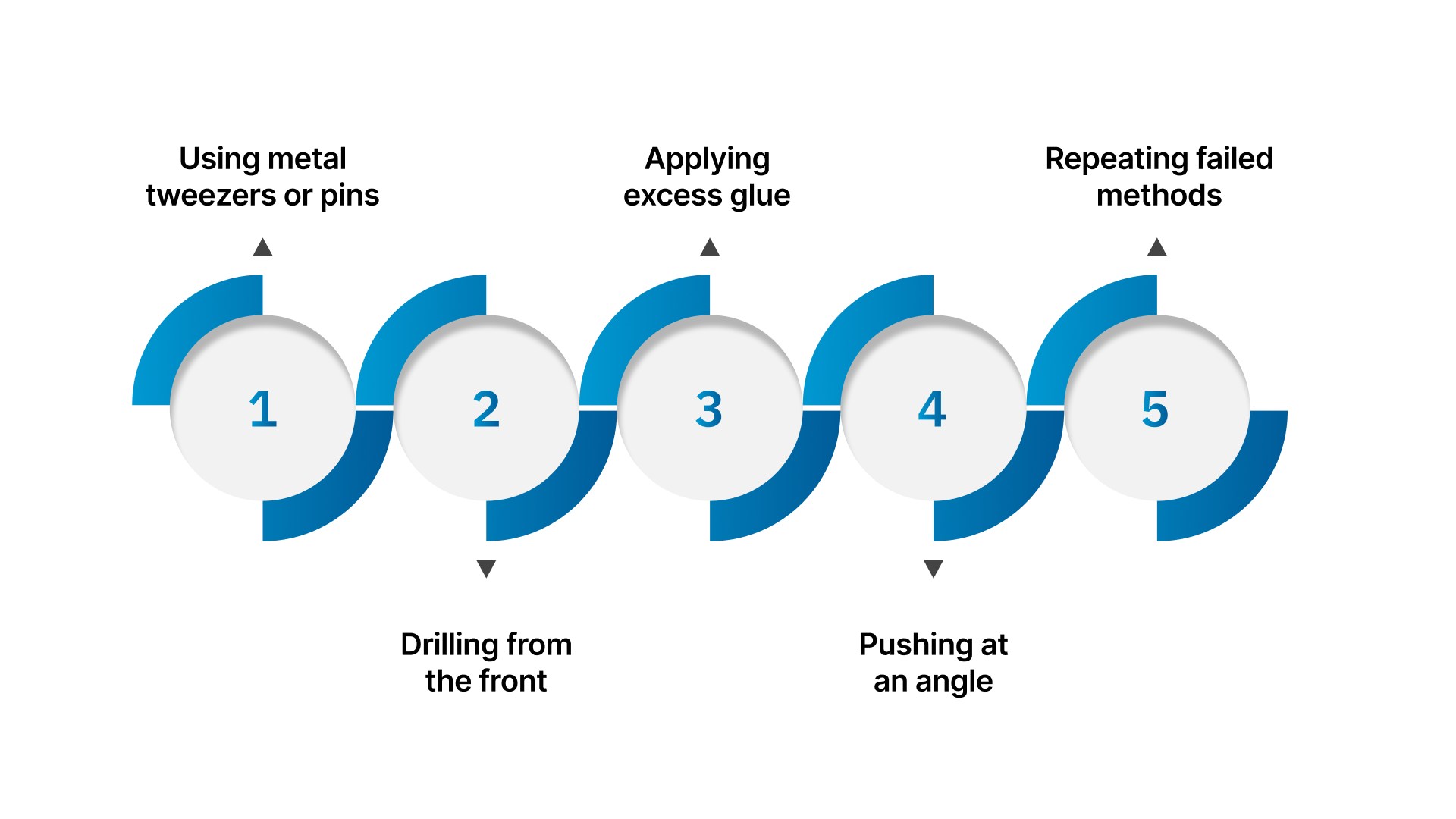
Most damage happens from common mistakes, not bad luck. Avoiding these errors protects the jack and your device.
Watch for these issues and the correct way to handle them:
Using metal tweezers or pins: Switch to plastic or hollow tools to avoid spreading internal contacts.
Drilling from the front: Stop immediately and consider rear-access or professional repair instead.
Applying excess glue: Use minimal adhesive inside the tool tip only, never on the jack walls.
Pushing at an angle: Keep tools centered and pull straight to prevent wedging the fragment.
Repeating failed methods: Pause and reassess before causing deeper internal damage.
Tired of fragile plugs and repeat fixes? Upgrade to Scan Sound’s durable stereo headphones built for daily use, bulk environments, and fewer jack failures.
Once you avoid the mistakes that cause damage, the next step is making sure you never face the problem again. Prevention is simpler than repair and starts with how you handle and choose your audio gear.
How to Prevent a Broken Headphone Plug from Getting Stuck Again
Once the plug is removed, prevention becomes the priority. Most plug failures start with repeated stress, not sudden force. Small habit changes reduce strain on the connector and protect the audio jack over time.
Use these preventive practices:
Pull headphones out by the plug, not the cable.
Insert and remove the plug straight, without twisting.
Avoid leaving headphones connected when not in use.
Choose L-shaped or reinforced plugs for portable devices.
Consider wireless headphones when frequent movement is unavoidable.
Good habits reduce stress, but they cannot compensate for weak hardware. When plug failures keep repeating, the problem often lies in how the accessory itself is built.
Why Quality Audio Accessories Matter More Than You Think
Repeated plug failures are usually tied to build quality, not misuse. Low-grade connectors fatigue faster and transfer strain directly into the audio jack. Over time, this leads to bent tips, snapped plugs, or fragments lodged inside the port.

Scan Sound applies an engineering-first approach across its audio lineup, focusing on durability and controlled strain relief for repeated connection cycles. This design philosophy shows up clearly in products built for daily, shared, and professional use, including:
Single-Ear 1-BUD Headphone, Stereo Headphones, and Stereo/Mono Headphones designed for consistent plug alignment
1-BUD Single-Ear Stereo Earphones, 1-BUD Classic Earphones, and 1-BUD-Pro Earphone built to reduce connector fatigue
Over-the-Ear Earpiece and 1-BUD Headset for Cell Phones optimized for secure, low-stress wear
Gold-Series 1-BUD Earphones, MEP-201 Model Earphones, and MXP Model Studio-Quality Earphones engineered for repeat use
Wired Stereo Earphones, 6-foot Cord Stereo Earphones, Mono Earphones, and Wired Headset Earphones with Mic suited for clinical, educational, and professional environments
This focus on plug geometry and strain control helps reduce repeat jack failures where reliability matters most.
Conclusion
Removing a broken headphone plug is possible, but knowing when to stop matters just as much. Patience and controlled steps protect the audio jack from permanent damage. When resistance feels wrong, stepping back is the smart choice. With well-designed accessories from Scan Sound, you reduce repeat failures and protect your devices long term.
Need help choosing durable headphones or audio accessories? Contact Scan Sound to find engineered solutions built for reliability and repeated use.
FAQs
Q: Can a broken headphone plug affect microphone or call quality later?
A: Yes. Even small internal contact damage can cause microphone dropouts or static during calls. This often appears weeks after removal.
Q: Does device age change the risk of removing a stuck plug?
A: Older devices often have looser or oxidized jack contacts. This increases the chance of internal contact distortion during extraction.
Q: Why does a device sometimes regain speaker sound temporarily, then fail again?
A: Partial contact release can confuse the audio switch. The fragment may still touch internal springs intermittently.
Q: Is removal harder on laptops compared to phones or tablets?
A: Laptop audio jacks are usually deeper and board-mounted. This makes internal stress more likely if extraction goes wrong.
Q: Can a damaged audio jack affect external adapters or DACs later?
A: Yes. Misaligned contacts can prevent adapters from seating correctly, causing channel imbalance or connection dropouts.
Q: When does replacing the audio jack make more sense than repair attempts?
A: If audio routing remains inconsistent after removal, internal contacts are likely deformed. Replacement restores long-term reliability.